
Innovus Place Padding(cell / instance / module)
日期:2026-09-27
来源:截图识别整理(picture-tcl,2 张截图:讲解示例 + 实操 case)
阶段:Placement(布局 padding 间距)
设置 Module Padding 解决 Module Congestion 问题
讲解示例:
设置 Module 的padding会影响其它Module 的Congestion问题,一般第一版本先设置 1.2 try 一下
实操 case:u_ca7dpu 的 OAI* 实例加 padding
背景:当我们追踪 Congestion 问题的时候发现某类Module(u_cortexa7noram/u_ca7dpu) 的pin density很高
实操 case: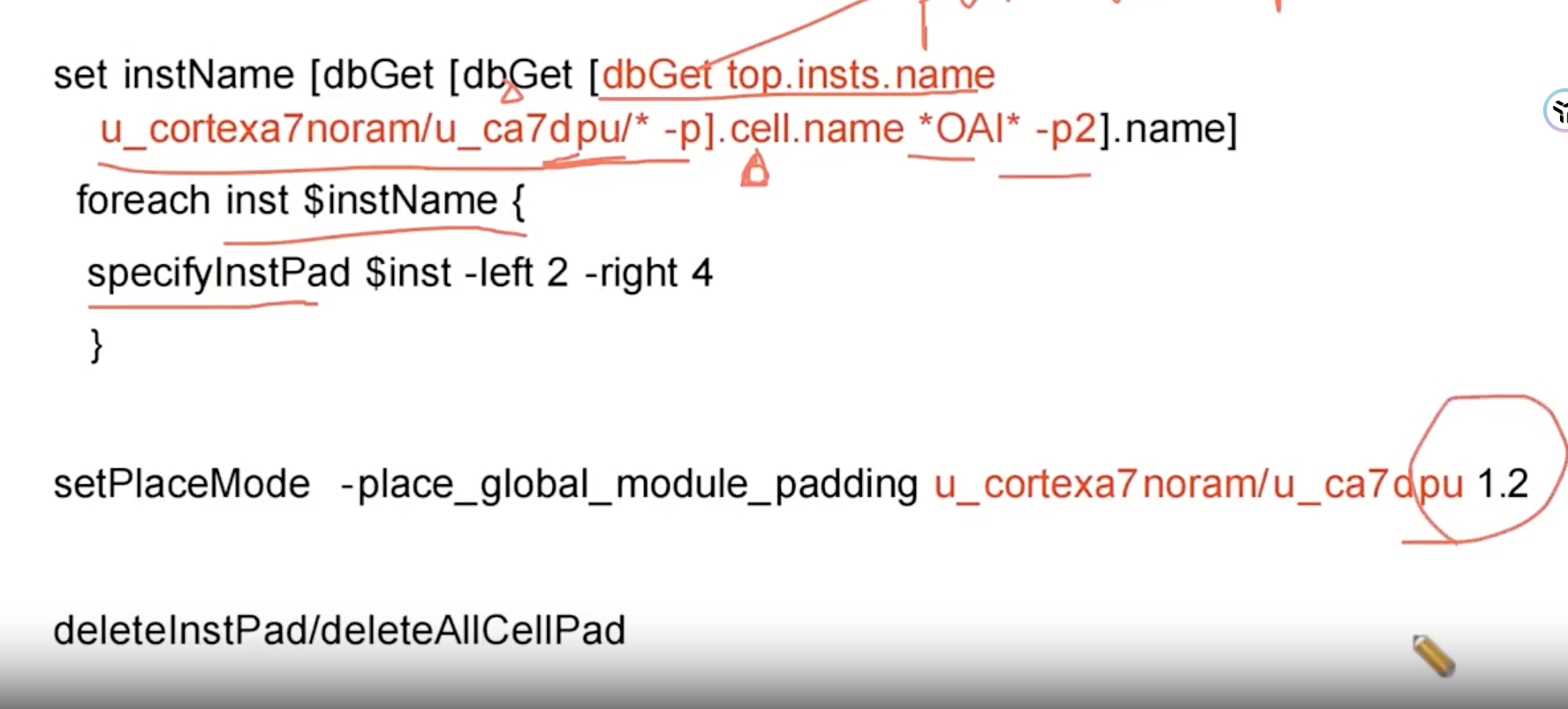
转录注记:
- 原图 1775×803,无提示符、无回显,全部为命令行文字;
foreach体内的specifyInstPad一行原图即顶格无缩进,照录。 - 最后一行
deleteInstPad/deleteAllCellPad是幻灯片并列写法(二选一:按实例删deleteInstPad/ 全部删deleteAllCellPad),直接 source 会报「命令不存在」;因含此行,未另存可直接 source 的 .tcl 文件。